








An investor may use a Trailing Stop Limit order to exit out of an established position; it is designed to allow an investor to specify a limit on the maximum possible loss without setting a limit on the maximum possible gain. Unlike conventional stop limit orders that remain fixed at a static price point, trailing stops incorporate an intelligent adjustment mechanism that responds to favorable price movements. When the investor places a trailing stop limit, they specify either a fixed dollar amount or percentage distance that the order should maintain below the market price (for long positions). As the security’s price climbs higher, the stop level automatically recalibrates upward, maintaining that consistent buffer the investor established, but if the stock price falls, the stop loss limit price doesn’t change, and a limit order is submitted when the stop price is touched, meaning that it doesn’t automatically execute immediately.
For a long stock position for example, a sell trailing stop limit order sets the stop price at a fixed amount below the market price with an attached “trailing” amount. As the market price rises, the stop price rises by the trail amount, but if the stock price falls, the stop loss price does not change, and a limit order is submitted when the stop price is hit. “Buy” trailing stop limit orders are the mirror image of sell trailing stop limit orders and are generally used to exit short positions.
The Trailing Stop limit orders work with U.S equities, options, futures, FOPS, Warrants as well as Forex and certain and certain non-US products.
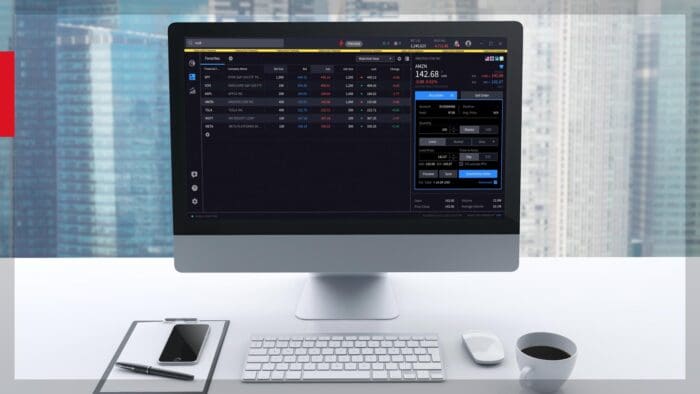
In Desktop the investor creates an order ticket then clicks on “Advanced” in the lower right-hand corner to bring up the Advanced Order Ticket window.
Once the Advanced Order Ticket window is up the investor can adjust the quantity, in this case the investor would like to close half of their position. The position is located below the Bid and Ask. In the Description panel they choose Trailing Stop Limit in the order type drop-down. The trailing price is based on the last traded price at the time of the order and tracks it throughout the lifetime of the order. The investor then enters the limit price, or the limit offset price, if the investor sets the limit price, the limit offset is calculated by the difference between the limit price and the stop price. For sell orders the investor will sell at the limit price or higher and for buy orders they will pay the limit price or lower.
The investor enters a stop price, remember with a trailing stop the stop price will adjust accordingly if the market goes in the investor’s favor but will never adjust to cause more than the maximum possible loss they initially define.
Next the investor sets the trail amount in either dollar or percentage terms, in this case 3 percent. They can then set the Time-in-Force to Day or GTC.
Let’s walk through a few scenarios. The investor originally purchased 100 shares of Stock ABC for $85 a share. Currently, the last traded price is $100, and the investor is looking to exit the position using a Trailing Stop Limit Order. They set the trail to $1 and the STP to $97 and the limit to $95, $2 below the stop price:
Example 1
The stock rises to $115, the new STP price becomes $114, and the limit will adjust to $112. The order will be triggered if the stock price falls to $114 with a limit price of $112. Stock then begins to fall below $114 triggering the order and is eventually filled at $112 when the Stop Limit price is reached.
Example 2
This time stock ABC begins to fall from its $115 high to $113, triggering the order but instead of reaching $112 stock ABC reverses course and rises to $120. The new stop price becomes $119, and the new limit will be $117. If stock continues to rise the Stop and Limit prices will rise along with it setting a higher exit price if the stock begins to fall.
Example 3
Stock ABC begins to fall immediately after the order is entered, the order is triggered when the stock goes to $97, if stock ABC continues to fall the order will be filled at $95, if stock ABC begins to rise the Stop Limit price will adjust accordingly.
When ready the investor can either preview the order or click submit. Details of the order can be seen by clicking on the Orders tab in the Portfolio screen.
Join The Conversation
If you have a general question, it may already be covered in our FAQs page. go to: IBKR Ireland FAQs or IBKR U.K. FAQs. If you have an account-specific question or concern, please reach out to Client Services: IBKR Ireland or IBKR U.K..
Visit IBKR U.K. Open an IBKR U.K. Account