










The article “Introduction to Interactive Brokers API” was originally published on IBridgePy blog.
It’s likely that if you’re reading this blog, you’ve already researched the Interactive Brokers API and found that it has great online reviews. The broker is well-known for its extensive marketplace selection and affordable commission rates, making the Interactive Brokers API an excellent choice for algorithmic traders.
By becoming proficient with the native Python API, you can improve the circumstances. You can accomplish a few of the following tasks. For comprehensive documentation, visit Interactive Brokers official site.
Interactive Brokers API: Independent Trading
Whether you’re looking for a fully automated solution or something more manageable, the API offers a starting point for connecting your automation scripts with Interactive Brokers.
Building a customized trading terminal
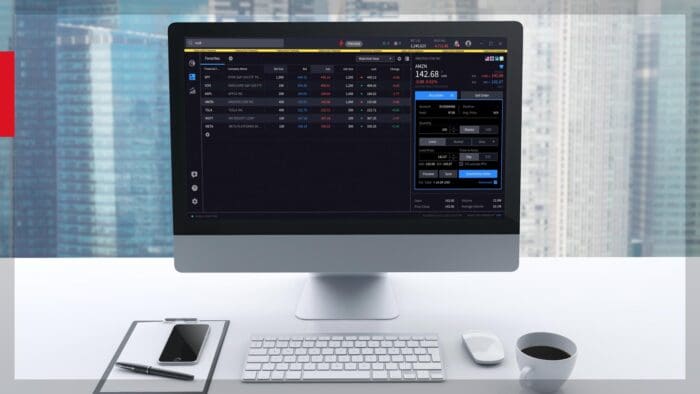
Interactive Brokers offers a great and feature-rich TWS. If you would prefer a different method of executing trades, the API can be used to quickly create a custom terminal.
Assembling historical data
Access to historical data is a prerequisite for the majority of automated trading systems. IB offers streaming data and generous API rate limits.
TWS’s common, widely-used built-in technical indicators make it easy to create custom indicators. However, if you want to make your own unique indications, the API is your best bet.
Another well-known feature of Python is its extensive library system. If you’re interested in machine learning, the API offers a way to connect to amazing Python libraries covering these subjects.
Personalized alerts and notifications Do you need an alert that TWS cannot deliver? There’s a good chance you’ll be successful using Python.
The Interactive Brokers Python API was officially developed and is maintained by Interactive Brokers. This ensures that there will be no errors and a steady connection to the IB servers.
In contrast, code wrappers and libraries such as IBridgePy and IbPy are not officially supported by IB because they were developed by third parties.
IB-insync is a widely used third-party framework. It uses asynchronous methods of communication with the native API to increase efficiency. It also simplifies the process of obtaining data via the API.
There are four easy steps to setting up a connection to the Interactive Brokers Python API. Create an account with IB; they offer top-notch test demo accounts. If you decide to connect to a live account, TWS offers a read-only option for the API, which is useful for first-time testing and learning.
This is the native Python API for IB. It is now simpler to connect to and interact with IB’s server-linked client thanks to these Python script files.
You may already be familiar with Interactive Brokers’ standard trading client, TWS. An alternative is to use the Interactive Brokers Gateway client. Using TWS is a good idea when first testing your script because it provides visible proof of any activity on your account. It’s easy to switch to the Gateway later on.
Visit IBridgePy blog for additional insights on Python.
The author of this article and the open source package IBridgePy are not affiliated with Interactive Brokers.
Already an Interactive Brokers Client?
New to Interactive Brokers?
Disclosure: Interactive Brokers Third Party
Information posted on IBKR Campus that is provided by third-parties does NOT constitute a recommendation that you should contract for the services of that third party. Third-party participants who contribute to IBKR Campus are independent of Interactive Brokers and Interactive Brokers does not make any representations or warranties concerning the services offered, their past or future performance, or the accuracy of the information provided by the third party. Past performance is no guarantee of future results.
This material is from IBridgePy and is being posted with its permission. The views expressed in this material are solely those of the author and/or IBridgePy and Interactive Brokers is not endorsing or recommending any investment or trading discussed in the material. This material is not and should not be construed as an offer to buy or sell any security. It should not be construed as research or investment advice or a recommendation to buy, sell or hold any security or commodity. This material does not and is not intended to take into account the particular financial conditions, investment objectives or requirements of individual customers. Before acting on this material, you should consider whether it is suitable for your particular circumstances and, as necessary, seek professional advice.
Join The Conversation
If you have a general question, it may already be covered in our FAQs page. go to: IBKR Ireland FAQs or IBKR U.K. FAQs. If you have an account-specific question or concern, please reach out to Client Services: IBKR Ireland or IBKR U.K..
Visit IBKR U.K. Open an IBKR U.K. Account